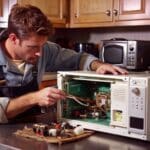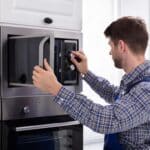
When a microwave runs (light on, turntable turning, fan blowing) but the food comes out cold, the high-voltage circuit that actually heats the food isn’t completing. Before assuming a part has failed, rule out the free checks: a tripped breaker and Demo Mode both produce the exact same symptom as a genuine hardware fault.
For other microwave symptoms, check the full microwave troubleshooting guide.
Quick Diagnosis Table
| Cause | Likelihood | Difficulty | Typical Part Cost |
|---|---|---|---|
| Tripped breaker or unit not fully plugged in | Very likely | Easy (no tools) | $0 |
| Control Lock or Demo Mode enabled | Possible | Easy (no tools) | $0 |
| Defective door switch | Likely | Moderate | $10–25 |
| Burned-out high-voltage diode | Likely | Professional recommended | $10–20 |
| Blown thermal or cavity fuse | Possible | Easy to check | $5–15 |
| Faulty high-voltage capacitor | Less common | Professional required | $15–40 |
| Failing magnetron | Rare | Professional required | $50–120 |
Repair or Replace?
The free checks and a door switch replacement keep this well under $30, so repairing makes sense at any microwave age if that’s the cause. Diode, capacitor, and magnetron failures involve parts that store a lethal charge even when unplugged, so factor in professional labor on top of the part cost. Once a repair quote (parts plus labor) starts to approach half the price of a new microwave, most owners are better off replacing a unit that’s already several years old, since a second high-voltage part often fails not long after the first.
GE, Samsung, LG, and Whirlpool each have brand-specific quirks worth checking before assuming a part has failed: GE’s own support material offers no DIY steps beyond two checks, Samsung’s Demo mode has a specific timer test, LG leads with Child Lock and Sensor Cook settings, and Whirlpool’s Demo mode has an exact keypad combo.
Frequently Asked Questions
My microwave's light, turntable, and fan all work, but it won't heat. What does that mean?
That pattern rules out a total power loss and points to the heating circuit specifically: Demo Mode, a door switch, the diode, the fuse, the capacitor, or the magnetron, roughly in that order of likelihood.
What is Demo Mode and how do I turn it off?
Demo Mode is a retail display setting that runs the light, turntable, and fan but disables actual heating. Check your owner's manual for the exact key combination to disable it; it varies by brand and model.
Is it safe to open my microwave and test the capacitor myself?
No. The high-voltage capacitor can hold a lethal charge even after the microwave has been unplugged for a long time. Diode, capacitor, and magnetron work should go to a licensed technician.
How do I know if it's the door switch and not something more serious?
A failed door switch usually means the microwave won't start at all, or the interior light stays on with the door closed. If the unit starts and runs normally but simply doesn't heat, a door switch is less likely and the diode or fuse becomes the more probable cause.
Can a blown fuse fix itself if I just wait?
No. A thermal or cavity fuse blows to protect the microwave from overheating and needs to be replaced once it's blown; it won't reset on its own.
How much does a magnetron replacement typically cost?
Parts alone usually run $50 to $120, plus professional labor. On a microwave more than 6 to 8 years old, that repair cost is often close to the price of a comparable new unit.
Use this as a guide to narrow down the problem, not as a substitute for a qualified repair technician.