We’re assuming you’ve already worked through our general Dishwasher Not Draining guide; what follows zeroes in on how Samsung specifically handles the reset, where the parts sit, and which codes show up. Still stuck after going through these steps? Our no-blockage follow-up guide picks up from there and looks at the pump.
Samsung reset procedure
Hold the Power button for 3 seconds to shut the dishwasher down, then press it again to restart. If that doesn’t clear the fault, cut power at the breaker for 1 minute instead of just using the button, this fully resets the control board rather than just the display.
Finding the Filter and Pump on a Samsung
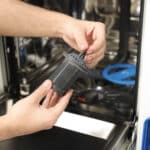
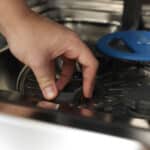
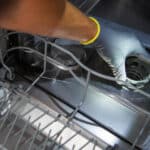
Remove the lower spray arm and you’ll see the filter assembly in the tub floor. Twist the fine mesh cap counterclockwise and lift it out, then also lift out the coarse outer frame underneath it, it isn’t fixed in place even though it looks structural. Both pieces need a rinse. The pump sits beneath the sump; reaching it means removing the spray arm mount and a few screws around the filter housing, more involved than the filter check but still doable without pulling the whole unit out.
Error codes you might see
5E (sometimes shown as 5E3) is Samsung’s dedicated drain-fault code and points straight at the filter or pump. LE means the leak sensor found water outside the tub, a different problem caused by a seal or hose issue rather than a blocked drain, so don’t start with the pump if that’s the code on your display.
What Trips People Up on Samsung Models
The two-piece filter catches people out constantly. It looks like a single unit, and Samsung’s own quick-start guide doesn’t always make clear that the frame comes out too. If you’ve cleaned the cap before and the dishwasher clogged again within days, this is almost certainly why.
Frequently Asked Questions
Why does my Samsung dishwasher keep clogging after I clean the filter?
You're likely only removing the fine mesh cap. The coarse outer frame beneath it also lifts out and needs cleaning separately.
Is 5E the same as LE?
No. 5E is a drain fault, LE is a leak detected outside the tub. They point to different parts.
Do I need tools to remove the Samsung filter?
No, both pieces lift out by hand once the lower spray arm is off.
How often should I clean both filter pieces?
Every couple of weeks with normal use, sooner if you notice food debris building up around the spray arm.
This information is meant to guide your own troubleshooting, not to replace an assessment from a qualified technician.
]]>