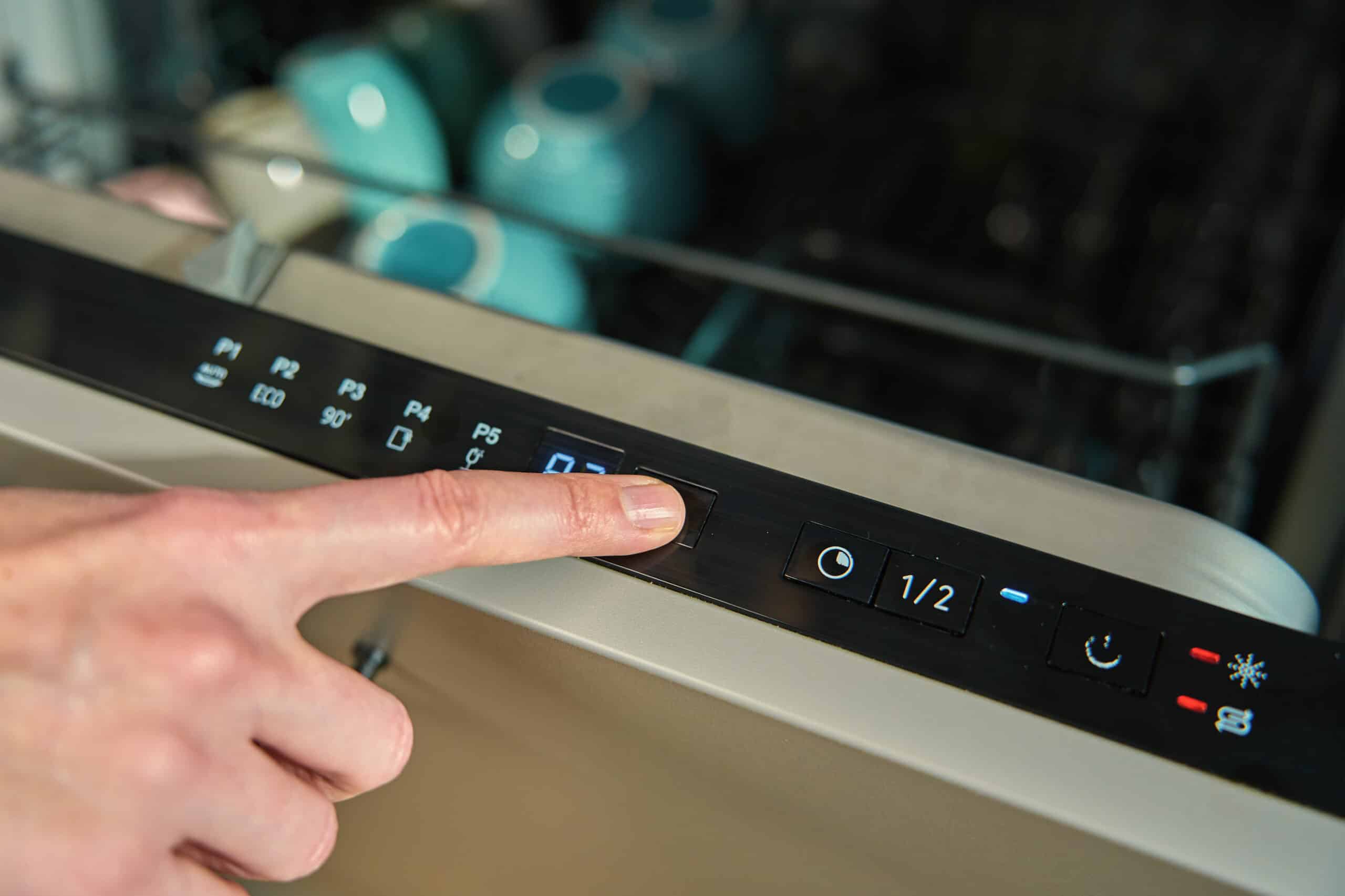
Press any button and nothing happens: no beep, no light change. Before assuming the control board is dead, check the three things that account for most cases: an engaged lock, moisture behind the panel, and a physically stuck button.
For more on other symptoms, see our full dishwasher troubleshooting guide. If the display works fine but the dishwasher won’t actually start a cycle, see dishwasher not starting.
Quick Diagnosis Table
| Cause | Likelihood | Difficulty | Typical Cost |
|---|---|---|---|
| Control lock engaged | Very likely | Easy | $0 |
| Moisture or condensation behind the panel | Likely | Easy | $0 |
| One or more buttons physically stuck | Likely | Easy–Moderate | $0–15 |
| Ribbon cable or connector loose | Possible | Moderate | $0 |
| Control board or membrane panel failed | Rare | Professional recommended | $80–200+ |
Repair or Replace?
Nearly every cause here is a $0 fix. Even a replacement membrane panel or ribbon cable is a modest cost. A full control board is the only expensive path, and it’s worth comparing that quote to the dishwasher’s age before committing.
Button layout and lock combinations differ by brand: Whirlpool, GE, Samsung, LG, Bosch, KitchenAid, Frigidaire, and Maytag each use their own sequence. Check your manual for the exact combination if the steps below don’t clear it.
Frequently Asked Questions
How do I check if the control lock is on?
Look for a small padlock icon on the display. If it's lit, hold the designated lock button for about 3 seconds.
Only one button doesn't respond, not all of them, is that different?
Yes, that points more toward a single stuck or worn button on the membrane rather than a full lockout or board failure.
Could running the dishwasher right after a steamy cycle with the door open cause this?
Yes, condensation can temporarily short the membrane's contacts. Let the panel dry fully for an hour and try again before assuming a part has failed.
Is a full power reset worth trying?
Yes, cut power at the breaker for 5 minutes. This clears minor control glitches without touching the panel itself.
Nothing on this page is meant to replace the judgment of a qualified repair professional.